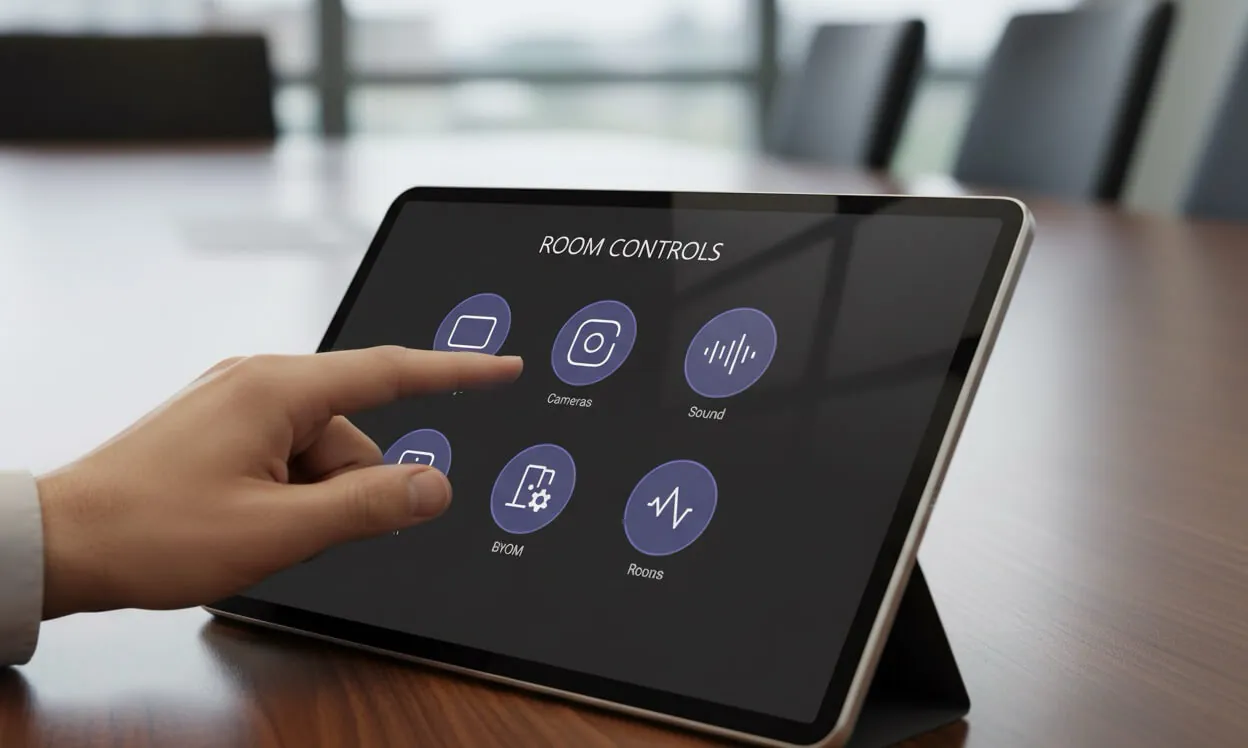
I've spent nearly a decade in AV, and if there's one pattern I keep seeing, it's this: an expensive meeting room fails not because the hardware is bad, but because the interface in front of it is. The CFO approves a six-figure boardroom build, the integrator delivers beautiful gear, and six months later the executive assistant is dialling the support line because nobody can figure out how to start a call. That problem almost always lives on the touch panel — which in Q-SYS world means it's a UCI design problem, not a hardware one.
So I want to talk about what a custom UCI actually is, why it deserves more attention than it usually gets, and what separates a well-built Q-SYS UCI from one that makes people avoid the room.
The UCI is the whole room, to everyone who isn't you
If you install AV systems, you think about DSPs, cameras, matrix switchers, VLANs, and codecs. If you use AV systems, you don't see any of that. You see a touch panel on the wall or the table, and you see whatever it's showing you right now. That's the product. Everything behind it is invisible plumbing.
This sounds obvious, but it has consequences. It means the UCI isn't "the last 5% of the project" — it's 100% of what the user experiences. A room with world-class audio and a bad interface is a bad room. A room with mid-range gear and a great interface will get used every day.
The touch panel isn't the front of the AV system. It is the AV system, as far as the person booking the meeting is concerned.
What a good Q-SYS UCI actually does
When I design a custom UCI for a meeting room, I'm not chasing flashy graphics. I'm trying to hit four things, in order:
- One obvious next step. When a user walks up to the panel, there should be no ambiguity about what to press first. If the screen has twelve options of equal visual weight, you've already lost.
- Honest feedback. If a command fails — the display didn't wake up, the call didn't connect, a mic is muted — the UCI should say so in plain language. "Error, try again" is not feedback. "Display 1 isn't responding — check power" is.
- Role-appropriate depth. The user needs a simple start/stop. Facilities needs access to presets and troubleshooting. IT needs diagnostics and logs. Those are three different interfaces, and a good UCI separates them.
- Consistency across rooms. If your Vancouver office has twelve meeting rooms, the layout, colours, and button positions should be identical. Walk into any room and the muscle memory works. This is where templated, scripted design beats bespoke one-off artwork every time.
None of this is glamorous. It's the careful, opinionated work of stripping a dozen possible paths down to the two or three that actually matter for the people using the room.
What bad UCI design looks like (and costs)
I'll give you the symptoms I see on nearly every troubleshooting engagement:
- The panel shows every source input as an icon, including the three that were decommissioned last year.
- There are two different ways to start a Teams call, and neither of them works reliably.
- Volume is a slider with no reference points, so users slam it to 100% "just in case."
- The "Help" button opens a PDF. Nobody has ever clicked it.
- An IT admin menu is hidden behind a five-tap gesture that everyone in the company knows.
The hidden cost of all this isn't the UCI itself. It's the people. Meetings start late. Executives stop using the nice boardroom and start using the small huddle room "because that one just works." IT logs the same "room is broken" ticket twelve times a quarter and nobody can reproduce it. That's what bad UCI design costs you — not pixels, but hours.
Custom vs template: it's a false choice
AV buyers usually think they have to pick between a fully custom UCI (expensive, slow, eventually abandoned when the programmer moves on) and the out-of-the-box panel that ships with the codec (free, generic, immediately hated by users). Neither is a good option.
The approach I've settled on — and the reason I've been quietly building a library of UCI templates for the last several months — is somewhere in between. Start from a well-engineered template that already solves the hard problems: layout, accessibility, error handling, device discovery, control logic. Then configure it for the specific room: which displays, how many cameras, what audio zones, what branding. The result is a custom UCI that feels bespoke but is built on proven foundations. Most conference rooms can be deployed in hours, not weeks.
This is where I think the industry has been leaving value on the table. Most AV programmers are excellent engineers, but handwriting a new interface from scratch for every room is a waste of everyone's time. It slows projects down, and it introduces bugs that would have been fixed twenty installations ago if the code were shared.
What this means if you're the one buying the room
If you're an IT or facilities manager in Vancouver evaluating a new meeting room build, or trying to rehabilitate one that's already giving you grief, here's what I'd push your integrator (or consultant) on:
- Ask to see a working demo of the UCI before hardware is ordered, not after install.
- Ask how the UCI handles a failure — a disconnected display, a missing camera, a codec reboot. The answers tell you more than the happy-path demo.
- Ask whether the same UCI design will roll out across all your rooms, or whether every room will feel like a different product.
- Ask who owns and maintains the UCI after the project closes. If the answer is "the integrator who commissioned it," you're one resignation away from a frozen room.
These are the questions that separate a room that works for five years from one that starts failing in month six.
Let's talk about your rooms
If you run meeting rooms in Vancouver or the Lower Mainland and your users keep fighting the touch panel, it's almost always a fixable problem. I help teams across Vancouver rebuild UCIs on existing Q-SYS systems, and I also offer independent AV consulting for organizations deciding what to buy in the first place. Get a free room assessment and I'll take a look at what you have, tell you honestly whether it needs a redesign or just a good UCI rewrite, and what it would realistically take to get there.