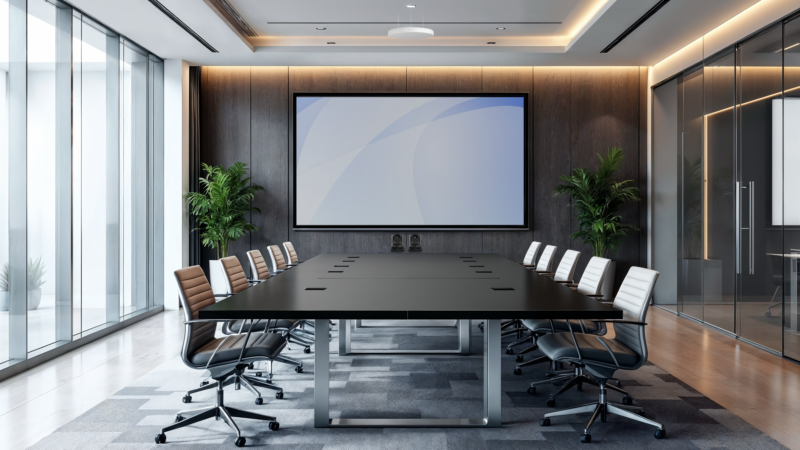
If you’ve installed large displays for a living, you know the pain. You spec an 86″ or 98″ panel, you get it on-site, and it doesn’t fit in the service elevator. You pull it out of its box, you muscle it into the freight lift at an angle, or worse, you carry it up the stairs. Nobody talks about this in the datasheet. During my visit to the Unilumin factory in Shenzhen, I saw a product that actually solves it: the U-TV.
A display and a video wall had a baby
Think of the U-TV as what happens when a traditional large-format display and a commercial video wall have a baby. It’s an all-in-one LED display — integrated controller, power, and finish — but it’s built from modular cabinets. Each piece ships in a small box you can carry through a normal door and up a normal elevator.
You build the display on the wall, piece by piece, the way you’d assemble a Lego set. No pair of techs sweating under a 150 lb slab of glass. No rigging plan just to get the thing into the room. No pre-install site walk where you measure the elevator twice and still get it wrong.
The best install is the one that doesn’t need a forklift, a lift gate, or an apology to the facilities manager. The U-TV is the first large-format screen I’ve seen that meets that bar.
32:9 and 48:9 for Microsoft Teams Front Row
Modularity isn’t just a logistics win — it’s an aspect ratio win. I’ve had clients who wanted to deploy Microsoft Teams Front Row using a 32:9 ultrawide layout to put remote participants at eye level across a long table. Most manufacturers don’t offer that natively. You end up kludging together two 16:9 displays, dealing with a bezel gap right through someone’s face, or settling for a compromise.
Because the U-TV is built from cabinets, you pick the aspect ratio the room actually needs:
- 16:9 for a traditional boardroom display.
- 32:9 for ultrawide Microsoft Teams Front Row.
- 48:9 for oversized executive rooms, training rooms, or signage walls.
When the display can match the room instead of the other way around, the whole system design loosens up. Furniture, camera placement, acoustics — you stop fighting a fixed rectangle.
Touch version turns your boardroom screen into a whiteboard
There’s also a touch-enabled version, which I think is under-discussed. In most premium boardrooms today you end up with two displays: the meeting room screen and a separate interactive whiteboard off to the side. With a touch U-TV, the primary display handles both jobs. One screen, one budget line, one less thing bolted to the wall.
For executive and design-focused clients, the aesthetic benefit is real. A clean LED wall with no second screen, no spare mounts, and no trailing USB cable across the room reads as a much more finished space.
Bezel-less and what’s next
Unilumin also mentioned that their newest model drops the bottom bezel entirely. The result is a sleek, low-profile display that sits flush against the wall — basically what you’d sketch if someone asked you to draw a boardroom screen from scratch. I haven’t seen one in a finished install yet, but it’s on my shortlist to spec in a future project.
Where the U-TV fits in a real project
So who is this actually for? Based on what I saw:
- Executive boardrooms where you want large-format presence without an LCD that dominates the room physically and logistically.
- Training and classroom spaces that need ultrawide layouts or higher brightness than an LCD can reasonably deliver.
- Retrofits in older buildings where getting a 98″ LCD to the floor is the real engineering challenge.
- Design-led spaces where bezel-less aesthetics and touch interaction need to coexist.
It’s not the right answer for every room. For most huddle rooms and mid-sized meeting rooms, a good AV consultant will still point you at a quality LCD. But once you’re past 98″, or once the room geometry gets interesting, the U-TV stops being a nice-to-have and becomes the obvious pick.
Specifying an all-in-one LED display in Vancouver?
If you’re planning a large-format display for a boardroom, training room, or experience centre and you’re not sure whether an LCD, a traditional video wall, or an all-in-one LED like the U-TV is the right call, I’m happy to work through it with you. Get a free room assessment and we’ll talk through the room, the budget, and the install realities before anyone quotes you a panel.